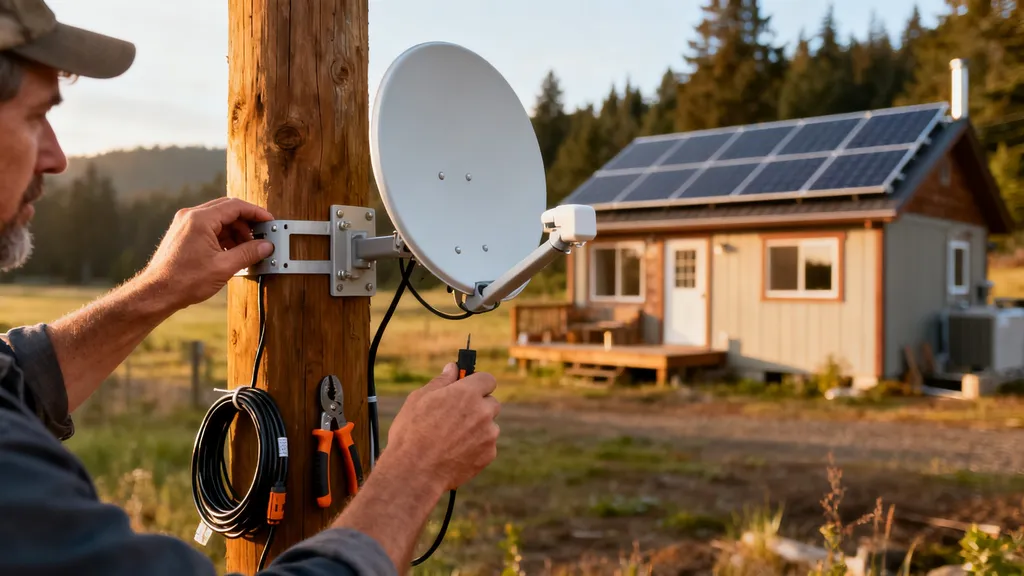
Practical guide to choosing off-grid internet: Starlink, satellite alternatives, cellular and long-range Wi‑Fi, plus power and installation tips for self-builders.
Off-Grid Internet Options: Starlink and Alternatives
Reliable off-grid internet is a must for many self-builders and tiny-home owners who need remote access for work, solar monitoring, emergency calls, and smart-home controls. This guide explains practical off-grid internet options — including Starlink, VSAT and GEO satellite services, cellular setups, long-range WiFi and microwave links — and covers power needs, mounting, costs, and DIY installation tips so a budget-conscious builder can choose and deploy the right solution. Expect concrete specs (latency, bandwidth ranges), example power budgets, and a short decision checklist to help you pick between Starlink alternatives and terrestrial backhaul.
TL;DR:
- Starlink often gives 20–150 ms latency and 50–200 Mbps download for consumer terminals, making it a practical first choice for many off-grid sites that have a clear sky view.
- VSAT/GEO offers better fixed-site reliability in some terrains but has 600–900 ms latency and higher installation costs; pick it when latency is not critical and uptime is mission-critical.
- Cellular and long-range WiFi are the lowest-cost options where coverage or line-of-sight exists; plan a solar + battery budget of roughly 200–800 Wh/day for common networking gear depending on usage.
Why Off-grid Internet Matters for Self-builders and Tiny Homes
Off-grid internet connects monitoring systems, remote work, telehealth, and emergency services on properties without wired broadband. For example: a homestead owner needs reliable telemetry for an off-grid inverter, the ability to upload work files, and occasional video calls. Typical household needs vary: light use (email, telemetry, occasional video) often works with 5–25 Mbps, while medium use (multiple video calls, streaming) needs 25–100 Mbps. Latency matters: VoIP and video conferencing are sensitive to RTT; aim for <150 ms where possible. Monitoring telemetry and sensor data will tolerate higher latency and lower bandwidth.
Connectivity challenges at remote builds include intermittent cellular coverage, obstructed sky view (valleys/trees), and the power constraints of always-on equipment. Off-grid internet differs from urban broadband because installations must consider continuous power (solar/battery), sturdy mounts for antennas/dishes, and variable coverage maps instead of a guaranteed service address. For tiny-house builders working with limited roof area and solar capacity, check a compact power plan such as the tiny house 3 kW guide. For planning budgets on small builds, see our tiny house on a budget. Industry and hobbyist guides like the one at rvmobileinternet provide practical comparisons between satellite and cellular for mobile/remote uses: see alternatives to Starlink for RVers and boaters.
How Starlink Works for Off-grid Sites — Strengths and Limitations
Starlink uses a constellation of low-Earth-orbit (LEO) satellites and a phased-array user terminal (dish) paired to a router. The terminal electronically steers beams to track satellites, which yields lower latency than geostationary (GEO) systems because signals travel a much shorter distance.
Hardware, Power Draw, and Mounting Considerations
- User terminal: Consumer terminals are self-contained with an integrated router. Typical power draw ranges widely depending on model and activity; expect roughly 30–100 W while active as a practical example (check the current Starlink spec sheet for exact numbers).
- Router and networking gear: Routers and small switches add 5–15 W. If using an LTE/5G failover router, add 5–20 W more.
- Mounting: Common mounts include roof brackets, pole mounts, and ground mounts. A pole or ground mount may simplify aiming and reduce roof penetrations. Ensure the mount meets local wind and snow load requirements; follow recommended grounding and mechanical fasteners.
- Cables and runs: Use outdoor-rated coax/ethernet or the supplied proprietary cable; keep cable runs as short as practical to reduce losses and make weatherproofing easier.
Coverage, Latency and Data Policy Overview
- LEO latency typically falls in the 20–150 ms range in practice; GEO services are usually 600–900 ms. Lower latency improves video calls and remote desktop responsiveness.
- Starlink’s service availability varies by country and terrain. It requires a clear view of the sky above a wide azimuth range; foliage and steep ridgelines can create dead spots.
- Data policy and roaming behavior depend on the service tier (residential, roaming/mobile, business). Review provider terms before purchase to confirm acceptable use and any roaming limits. The ICC’s guidance on building safety and installation best practices can be helpful for tiny, off-site builds: see standards for off-site built tiny homes.
Real-world Performance: What to Expect in Remote Locations
Expect variability. In an open site with a good view, speeds commonly match published ranges (50–200 Mbps download on consumer plans). In valleys or heavy-forest regions, performance may drop or connections may be intermittent; consider a higher-gain pole mount, or a split solution with cellular backup. For conservation of power on small solar systems, schedule heavy uploads for daytime when panels are producing.
Satellite Alternatives to Starlink for Off-grid Internet (VSAT, GEO Services, and Emerging Constellations)
VSAT and GEO Satellite Providers: Use Cases and Tradeoffs
- GEO (Geostationary) services such as some consumer business providers use satellites at ~36,000 km altitude. They offer broad coverage and can be easier to provision for fixed sites. Tradeoffs: high latency (600–900 ms) and typically lower peak speeds for the same price compared with LEO.
- VSAT (Very Small Aperture Terminal) systems are a professional option for fixed commercial or mission-critical links. They often require a licensed installation, a larger dish, and an installer for alignment. VSAT can be more reliable for a fixed site where a clear sky arc is available and where latency is acceptable.
- Providers in this class often include managed SLAs, which is useful for business or emergency communications.
Emerging Constellations and Oneweb-style Services
- New LEO constellations (OneWeb and others) provide alternatives to Starlink with differing business models—some focus on enterprise or government customers rather than consumer markets. Licensing, roaming policies, and subscriber hardware differ by operator.
- Evaluate whether the service is consumer-facing, offers fixed wireless terminal hardware, and supports the country/region of your build.
When to Pick VSAT Over LEO (reliability, Fixed Links)
Choose VSAT when uptime SLAs and a professional installation team are required, and when the application tolerates high latency (file transfers, telemetry uploads, commodity internet). VSAT can also be preferable if operator support and remote management are priorities.
Mini comparison table (typical values; verify with provider specs)
| Option | Typical latency | Typical download/upload | Installation complexity | Approx power needs | Best use-case |
|---|---|---|---|---|---|
| Starlink (LEO consumer) | 20–150 ms | 50–200 Mbps / 5–40 Mbps | Low–medium (self-install possible) | 30–100 W | General-purpose off-grid where sky view exists |
| VSAT / GEO | 600–900 ms | 5–100 Mbps / 1–10 Mbps | High (professional install) | 100–400 W (varies) | Fixed-site reliability, business/remote office |
| OneWeb / other LEOs | 20–200 ms | 10–150 Mbps / var | Medium–high (operator-dependent) | 30–150 W | Enterprise or regional deployments |
| Cellular fixed wireless | 20–100 ms | 5–300+ Mbps (5G) | Low–medium | 10–50 W | Where carrier coverage exists |
| Long-range WiFi / microwave | 1–50 ms | 10–300 Mbps | Medium (LOS alignment) | 10–150 W | Point-to-point backhaul to town/neighbour |
For broader market context and adoption trends in tiny and off-grid housing, see the market analysis at DataIntelo: off-grid tiny house market report.
Terrestrial Alternatives: Cellular Data, Boosters, Long-range Wifi and Microwave Links
Using Cellular (4G/5G) as Primary or Backup: Plans and Hardware
Cellular can be the most affordable and easiest option when carriers provide coverage on-site. Typical hardware:
- Industrial routers with dual-SIM failover and external high-gain LTE/5G antennas.
- Signal boosters amplify weak carrier signals from a roof/antenna to interior devices (ensure the booster is carrier-approved and legal for your country).
- Data plans: MVNOs and major carriers offer fixed wireless and hotspot plans. For sustained off-grid use, choose plans with generous data allowances or business-class plans that include tethering or fixed wireless. Always read fair-use policies.
Long-range Point-to-point Wifi and Backhaul Options
Point-to-point links using directional radios (for example, Ubiquiti-style airFiber gear) can bridge several miles with clear line-of-sight (LOS). Typical distances:
- Short backhaul: 1–5 miles with commodity gear at high throughput.
- Extended links: 5–20+ miles with high-gain antennas and careful alignment.
Power depends on the radios; expect 10–150 W depending on equipment and whether you use low-power or industrial units. Point-to-point WiFi is cost-effective if you can secure a reliable uplink location such as a community ISP site or a neighbour.
When Small Microwave Links Make Sense
Licensed microwave backhaul is appropriate for mission-critical, high-throughput links that require stable performance and regulatory compliance. It’s more expensive and usually requires professional site surveys, licensing, and trained installers.
For a general consumer-facing roundup that compares satellite and cellular for properties with solar, see best off-grid internet options.
Quick Comparison and Specs Table: Starlink vs Major Alternatives
A concise visual comparison helps match needs to options. The table below summarizes typical real-world specs and tradeoffs. Verify current pricing and tech specs with providers before purchase; values are ranges.
| Option | Typical latency | Download / Upload | Installation | Approx power | Typical monthly cost |
|---|---|---|---|---|---|
| Starlink (consumer) | 20–150 ms | 50–200 Mbps / 5–40 Mbps | Low–Medium | 30–100 W | $60–$150 (varies by plan) |
| VSAT / GEO | 600–900 ms | 5–100 Mbps / 1–10 Mbps | High (pro) | 100–400 W | $100–$1,000+ |
| OneWeb / other LEOs | 20–200 ms | 10–150 Mbps / var | Medium–High | 30–150 W | Business pricing, varies |
| Cellular fixed wireless (4G/5G) | 20–100 ms | 5–300+ Mbps | Low–Medium | 10–50 W | $30–$200 (data-dependent) |
| Long-range WiFi / microwave | 1–50 ms | 10–300 Mbps | Medium (LOS needed) | 10–150 W | Low ongoing cost after hardware |
Key Decision Checklist
- Line of sight: Confirm an unobstructed view to the sky or to the target tower/peer.
- Power availability: Estimate whether existing solar/battery can support 24/7 operation.
- Budget for hardware and data: Plan for both upfront mounts/antenna and recurring monthly fees.
- Household load: Add up expected simultaneous streams, video calls, and telemetry.
- Backup path: Choose a secondary route (cellular or lower-cost satellite) for outages.
Short decision guide: If a clear sky and moderate power exist, Starlink is often the simplest consumer option. If latency is not critical but uptime and managed SLAs matter, consider VSAT. Where LOS exists to a town or neighbour, long-range WiFi or microwave can be the cheapest long-term backhaul.
Watch a concise comparative video to see field speed tests and installation footprints: viewers will learn how Starlink, VSAT, and cellular compare in real tests and what hardware footprints look like.
For insights into network performance and energy tradeoffs in off-grid housing, academic studies are useful; see an analysis from UC Berkeley on energy and water performance in off-grid tiny homes: energy and water performance of an off-grid tiny house.
Designing an Off-grid Internet System for a Self-built Home
Power Budgeting (sizing Solar + Battery for Internet Gear)
Estimate continuous draw and design for autonomy:
- Example baseline (consumer satellite + router): 60 W terminal average + 10 W router = 70 W continuous.
- Daily energy = 70 W × 24 h = 1,680 Wh/day.
- For 24–48 hours autonomy, battery storage = 1.7–3.4 kWh usable (adjust for depth-of-discharge and inverter efficiency).
- Solar sizing depends on site sun hours. For 4 peak sun hours/day, you’d need roughly 420 W of panels to cover 1,680 Wh/day plus losses (1,680 Wh ÷ 4 h = 420 W), then add margin for cloudy days.
This is a worked example; check specific device specs and refer to our 3 kW off-grid sizing guide for full system examples and to the solar battery buying guide for recommended chemistries and capacity planning. Consider a DC-coupled inverter and a charge controller sized per your array; our post on charge controller sizing covers MPPT vs PWM choices.
Mounting, Grounding, and Lightning Protection
- Mounting: Choose a pole or roof mount that provides required azimuth and elevation. Use stainless fasteners and weatherproof flashing for roof penetrations.
- Grounding: Bond antenna mounts to an earth grounding electrode per local electrical code; for lightning protection, use surge arrestors on external cables and inline grounding blocks for coax/Ethernet runs.
- Cable routes: Use outdoor-rated conduit and sealed cable glands at entry points. Keep low-voltage runs separate from mains where possible.
Redundancy and Automated Failover Setups
- Use a router that supports multiple WANs (Starlink + cellular) with automatic failover. Configure health checks and route priorities so telemetry continues to reach cloud services during an outage.
- Consider a small cellular plan as a permanent backup rather than expensive monthly satellite failover.
- For high-availability, add a UPS sized to keep the terminal and router up for the duration required to switch power sources.
If you’re comparing renewables, see our solar vs wind comparison and the small wind turbine overview to evaluate hybrid arrays. For micro-hydro options where a water source exists, consult how micro-hydro powers a remote cabin for steady baseload generation.
Costs, Service Plans, and Practical Tips to Avoid Surprises
Hardware and Installation Cost Ranges
- Consumer LEO (Starlink): Terminal hardware typically has an upfront cost and a monthly plan. Expect an upfront equipment cost and a monthly fee (ranges depend on region and plan).
- VSAT/GEO: Higher hardware cost (larger dish), professional installation fees, and often a multi-year service contract.
- Cellular fixed wireless: Lower hardware cost; monthly costs scale with data volume and plan class.
Data Caps, Throttling and Fair-use Policies Explained
Satellite and some fixed wireless plans may include policies that deprioritize heavy users during peak times. Cellular plans can have soft caps and throttling beyond a threshold. Always read the acceptable use policy and traffic management clauses before committing. If you need guaranteed throughput for business or telehealth, seek a business-level SLA.
Saving Tips for Budget-conscious Diyers
- DIY pole mounting and self-installation can cut labor costs when allowed by the provider.
- Share a backhaul with a neighbour or co-op where legal and agreeable; this can divide monthly costs.
- Schedule large uploads/updates for daytime when solar supply is highest.
- Use low-power routers and set QoS rules to prioritize telemetry and work-critical traffic over streaming.
For readers likely to scale their power system, review our considerations for larger systems in the 10 kW system considerations and retrofit strategies in adding solar to an existing home.
Installation and DIY Tips: Step-by-step Checklist for Self-installers
Site Survey: What to Look for Before Buying
- Verify sky view: Use a smartphone compass, a sun-path app, or simple visual checks to mark any obstructions across the sky arc.
- Map mounting locations: Identify several candidate poles or roof spots that have good azimuth and are mechanically suitable.
- Measure cable runs: Note distances from mount to equipment room for cable sizing and conduit planning.
Basic Installation Steps and Safety Checks
- Temporary ground-level test: Assemble and test the terminal on the ground with a short cable to confirm service before permanent mounting.
- Permanent mount: Secure the mount, check anchor torque, and use corrosion-resistant fasteners.
- Cable run and weatherproofing: Run cables in conduit, seal all penetrations, and install grounding blocks and surge protectors at both ends.
- Commission and configure: Set router WAN priorities, enable failover, and test remote access and monitoring.
Always follow local electrical codes and safe ladder/roof practices. For solar and panel work tied to this installation see solar panel installation tips. For structural work during cabin construction, consult our build a small cabin guide.
Maintenance and Seasonal Checks
- Clear foliage and snow from the antenna field of view each season.
- Inspect mounts and fasteners annually for corrosion or loosening.
- Check firmware updates for terminals and routers, and test failover periodically. Use an energy monitor calibration to refine your power budget and verify consumption. If your equipment sits in a small equipment room, apply ventilation for equipment rooms guidance to manage heat.
The Bottom Line
Choose an off-grid internet solution based on coverage, power availability, and how sensitive your use is to latency. Starlink is often the easiest consumer solution where a clear sky exists and moderate power is available; VSAT and licensed microwave suit mission-critical fixed links; cellular and long-range WiFi are cost-efficient where coverage or line-of-sight is present. Next steps: run a site survey, estimate a power budget, and compare provider terms and expected monthly costs.
Video: Cheaper and Better Than Starlink? Free TV and Cheap Internet
For a visual walkthrough of these concepts, check out this helpful video:
Frequently Asked Questions
How much power does a satellite terminal use?
Typical consumer LEO satellite terminals draw roughly 30–100 W while active; routers add about 5–15 W. These are examples—always check a specific terminal's datasheet and add inverter and standby losses when sizing batteries.
See the power budgeting section above and the 3 kW off-grid sizing guide for worked examples on matching panels and batteries to continuous loads.
Can I run Starlink on solar alone?
Yes, but sizing depends on consumption and desired autonomy. A terminal plus router consuming ~70 W continuously requires roughly 1.7 kWh/day; with 24–48 hours of backup you’ll need multiple kWh of usable battery plus panels sized to your peak sun hours.
Follow the design examples earlier and consult the solar battery buying guide for battery chemistry and capacity choices.
What are the best low-cost backups for rural internet?
A cellular data connection using a small external antenna is often the lowest-cost backup. Alternatively, keep a secondary low-data satellite plan or use a long-range WiFi link to a neighbour or community uplink where available.
Set up automatic failover in a dual-WAN router so services switch seamlessly without manual intervention.
Is long-range WiFi legal to use for backhaul?
Point-to-point unlicensed links using approved radio bands are legal in many countries, but you must follow local radio regulations and power limits. Licensed microwave links require permits but can provide cleaner, interference-free backhaul.
Check local communications authority rules (for example, CTIA or national regulators) before deploying high-power radios or shared backhaul links.
How do I check if cellular coverage is reliable on my property?
Use carrier coverage maps, run on-site speed/field-strength tests with a mobile device and an external antenna, or borrow a temporary hotspot for a few days to test throughput and latency at different times. Coverage maps give a baseline, but in-situ testing reveals tree/fade effects and real throughput.
If uncertain, consider a short-term data plan and a roof-mounted antenna to test sustained speeds before committing to hardware or long-term contracts.