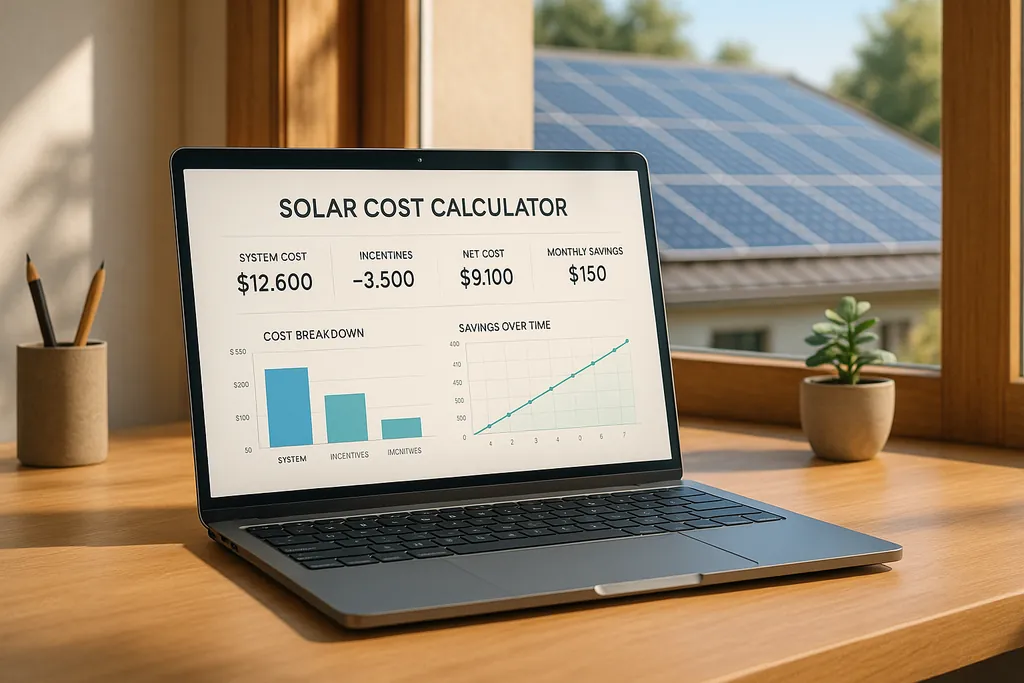
Explore how solar cost calculators can help you estimate expenses, optimize systems, and maximize savings for your DIY solar projects.
Solar Cost Calculators for DIY Projects
Online solar cost calculators simplify planning DIY solar projects by estimating costs, sizing systems, and identifying savings opportunities. These tools help you:
- Save 30–50% on installation by avoiding labor and markup costs.
- Plan budgets with detailed cost breakdowns for panels, inverters, and permits.
- Estimate ROI and payback periods using local electricity rates and incentives.
- Optimize performance by factoring in weather, shading, and battery storage.
For example, Google's Project Sunroof uses satellite data to provide estimates with 10–15% accuracy, while tools like PVWatts integrate incentives like the 30% Federal Tax Credit. DIY solar systems typically cost $14,000–$30,000 before incentives, and these calculators help you stay on budget and achieve energy independence.
Solar Savings Calculator Spreadsheet - FREE Download
Main Calculator Features
Solar cost calculators provide detailed cost estimates and make planning DIY solar projects much easier.
Input Options
To generate accurate estimates, these calculators typically need the following information:
- Location Data: Your zip code or address to assess solar potential and local electricity rates.
- Energy Requirements: Your monthly electricity usage, measured in kilowatt-hours (kWh).
- Roof Specifications: Details like roof size, orientation, pitch, and shading.
- System Specifications: Desired system capacity in kilowatts and whether battery storage is included.
With these inputs, calculators can provide a detailed cost breakdown. Tools like Project Sunroof even use satellite imagery to evaluate roof configurations and local weather patterns.
Cost Breakdown Categories
The cost breakdown separates material costs from contractor fees, helping DIY installers plan their budgets effectively. Here's a typical breakdown:
| Component | Typical Cost Range | Percentage of Total |
|---|---|---|
| Solar Panels | $5,600 - $15,000 | 40-50% |
| Inverters | $1,400 - $4,500 | 10-15% |
| Mounting Hardware | $1,400 - $3,000 | 10% |
| Electrical Components | $700 - $3,000 | 5-10% |
| Permits and Inspections | $400 - $1,200 | 3-4% |
For long-term planning, consider future costs such as replacing inverters every 10-15 years ($1,000–$2,500) and accounting for annual panel efficiency loss of 0.5–0.8%. If you're opting for an off-grid system with battery storage, expect an additional 15–30% in upfront costs.
Available Tax Credits and Rebates
In addition to estimating costs, these calculators factor in financial incentives that can significantly reduce your overall investment:
- Federal Investment Tax Credit: Covers 30% of equipment and permit costs through 2032.
- State-Level Incentives: Includes tax credits, rebates, and performance-based incentives specific to your state.
- Local Utility Programs: Offers rebates based on your zip code.
- Solar Renewable Energy Certificates (SRECs): Provides income for the electricity your system generates.
These calculators also clarify which incentives apply to DIY installations versus those requiring professional certification. They even project timelines for incentive changes, so you're always informed.
Using Calculators for Project Planning
Turn cost estimates into actionable project plans by following these crucial steps for gathering data and scheduling your project effectively.
Required Project Data
To ensure accurate planning, start by collecting these key pieces of information:
- Energy Usage History: Review a full year of utility bills to calculate your average monthly energy consumption (measured in kWh). This helps with sizing your system correctly.
- Roof Specifications: Note your roof's size, orientation, pitch, shading, and the condition of the materials. These factors directly impact system design and efficiency.
- Electrical Infrastructure: Record details like your service panel's capacity, your current electricity rate ($/kWh), and the wattage of critical appliances. These details are essential for determining compatibility and load requirements.
Reading Cost Reports
Once you've entered your data into the calculator, carefully analyze the cost report to pinpoint savings opportunities and major expenses. Here's a breakdown of what to look for:
| Report Section | What to Analyze | Why It Matters |
|---|---|---|
| Equipment Costs | Includes solar panels (30–40%), inverters (10–20%), mounting hardware (10–15%), and batteries (20–40%) | Bulk discounts can lower these costs significantly. |
| Labor Savings | Installation costs, often 30–35% of the total project cost | DIY installation can eliminate a large expense. |
| Balance of System | Covers wiring, disconnects, and mounting hardware | These costs are sometimes underestimated in DIY plans. |
| Incentives | Federal tax credit (26% through 2025) and local rebates | These can drastically reduce your overall expenses. |
Creating Project Timelines
Use the calculator's results to draft a detailed, phase-by-phase schedule for your project. Here's how to break it down:
- Pre-Installation Phase (4–6 weeks):
This stage includes:
- Obtaining permits, which can take 2–6 weeks depending on local regulations.
- Ordering and receiving equipment.
- Gathering tools and safety gear.
- Planning site preparation.
- Installation Phase (7–14 days):
Divide the installation into smaller, manageable tasks:
- Site preparation: 1–2 days.
- Installing the mounting system: 1–3 days.
- Completing electrical work: 2–4 days.
- Mounting the solar panels: 1–2 days.
- Testing the system: 1–2 days.
- Post-Installation Phase (1–4 weeks):
Wrap up the project with these final steps:
- Schedule and complete local inspections.
- Connect the system to the utility grid (for grid-tied setups).
- Set up monitoring to track system performance.
- Perform final testing and make adjustments as needed.
Choosing the Right Calculator
When tackling a DIY solar project, picking the right calculator can make all the difference. A well-designed tool not only ensures precise cost estimates but also helps avoid expensive mistakes along the way.
User Interface Quality
The best calculators are easy to navigate and work seamlessly across different devices. Here are some features to look for:
| Feature | Importance | Why It Matters |
|---|---|---|
| Mobile Responsiveness | Essential | Makes it possible to perform calculations during roof inspections or while shopping. |
| Save Progress | Essential | Lets you pause and return to your planning without losing data. |
| Offline Mode | Critical | Ensures you can work in areas with poor or no internet access. |
| Visual Tools | Essential | Provides a clear view of panel placement and overall system layout. |
Google's Project Sunroof is a great example, offering interactive 3D roof mapping that simplifies planning. While an intuitive interface is key, the calculator's ability to process inputs accurately is just as important.
Calculation Precision
A reliable calculator should account for essential factors such as:
- Historical solar irradiance data specific to your location.
- System degradation rates (typically 0.5–1% annually).
- Current prices for components like panels, inverters, and mounting systems.
- Local installation requirements and codes.
- Seasonal fluctuations in energy production.
When all parameters are entered correctly, a high-quality calculator should provide estimates within 10–15% of actual costs. This level of accuracy is critical for DIY enthusiasts aiming to stay on budget.
DIY-Focused Tools
For those installing systems themselves, specialized calculators offer features that go beyond generic tools. Here's what to look for:
- Component and Configuration Analysis
Includes detailed pricing for parts, labor cost adjustments, custom roof layouts, system expansion options, and even pricing for used equipment.
- Technical Support Features
Offers tools like wiring diagram generators, permit cost estimators, local code checkers, and system sizing calculators.
To double-check results, compare the calculator's estimates with real-world production data from similar systems in your area.
For added convenience, choose a tool that provides documentation for permits and incentive claims. Calculators that stay updated with federal tax credits and state-specific incentives can save you time and money.
Conclusion
Solar cost calculators are a game-changer for anyone considering a DIY solar project. They provide homeowners with reliable estimates for system sizing, budgeting, and evaluating project feasibility.
What makes these tools even more useful is their ability to integrate local data for precise results. For example, tools like PVWatts and Project Sunroof use historical solar irradiance data to predict how well a system will perform in different parts of the U.S.
DIY solar installations can save homeowners between 10% and 30% on costs, which translates to thousands of dollars on systems typically priced between $14,000 and $30,000.
Here's how solar calculators make DIY solar projects more achievable:
- Precise Sizing: Helps determine the exact number and configuration of panels needed.
- Cost Planning: Offers detailed estimates to avoid unexpected expenses.
- Project Scheduling: Lays out realistic timelines for installation.
- Energy Independence: Provides a clear roadmap to reducing reliance on the grid.
These tools simplify the process and empower homeowners to take control of their solar journey.
FAQs
How reliable are solar cost calculators, and what factors influence their accuracy?
Solar cost calculators can be a useful way to get a rough idea of what a DIY [solar power system](/blog/grid-tied-vs-off-grid-solar-key-differences) might cost. However, their precision depends on a variety of factors. Things like your location, the system's size, local labor rates, and the specific equipment you choose can all influence the final price. Many calculators rely on generalized data, which might not fully reflect regional differences or the unique details of your project.
For better results, look for calculators that let you enter detailed information, such as your household's energy consumption, roof dimensions, and average sunlight hours. Remember, these tools are designed to provide estimates. Real-world costs can still fluctuate due to unexpected factors or changes in material prices.
What are the benefits of using a solar cost calculator for your DIY solar project?
Using a solar cost calculator can make planning your DIY solar project much easier and more efficient. Here's how it helps:
- Plan Your Budget with Confidence: A solar cost calculator gives you a clear estimate of your total expenses, covering everything from panels and inverters to batteries and other installation materials. This way, you can avoid surprises and stick to your financial plan.
- Save Time: Instead of spending hours researching the cost of every component, the calculator provides quick, tailored estimates. It simplifies the process, so you can focus on other aspects of your project.
- Personalized Estimates: Many calculators let you enter details like your energy usage, location, and the size of the system you want. This ensures the estimate fits your specific needs and local conditions.
Using a solar cost calculator means you'll be better prepared and more informed as you move forward with your DIY solar project.
How do federal and state incentives affect the cost of installing a DIY solar power system?
Federal and state programs can make a DIY solar installation much more affordable by offering tax credits, rebates, and other financial perks. One major example is the Federal Solar Investment Tax Credit (ITC), which lets you deduct 30% of your solar system costs from your federal taxes if the system is installed by the end of 2032. On top of that, many states provide their own incentives, such as additional tax credits, rebates, or performance-based rewards, which can further cut down your costs.
To get the most savings, take the time to explore the specific incentives available in your state. Make sure your DIY solar setup meets all the eligibility criteria, as these programs often have requirements tied to factors like system size, location, or adherence to local building codes.